Garden Floral Wedding Invitation Graphic: Selecting and Using Watercolor Assets Effectively
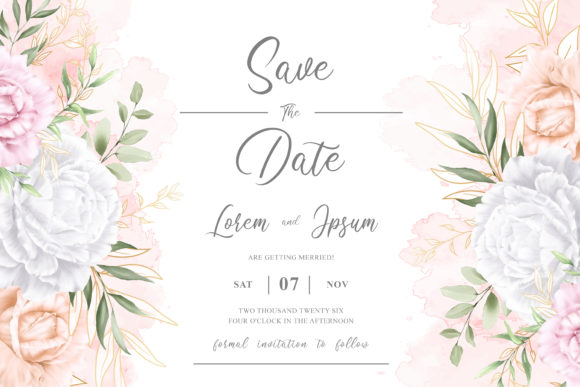
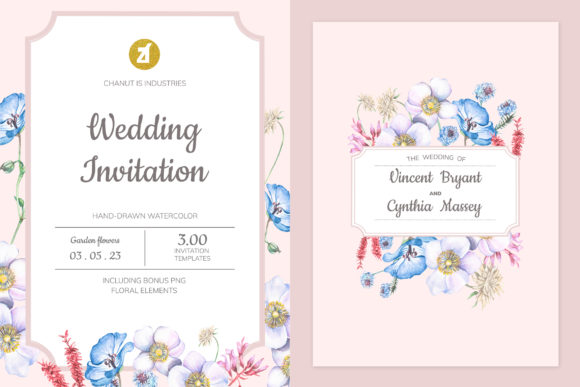
Creating a cohesive visual identity for a wedding often hinges on the quality of the stationery, and the Garden Floral Wedding Invitation Graphic has become a staple for couples and designers seeking an organic, romantic aesthetic. This specific style combines the softness of hand-drawn watercolor illustrations with the structured elegance required for formal event communication. However, simply purchasing a digital asset pack does not guarantee a professional result. Many users, from DIY brides to freelance graphic designers, underestimate the technical nuances of working with botanical artwork. Understanding what this graphic resource actually entails—and how to manage the included AI, EPS, PSD, and PNG files—is the difference between a stunning invitation suite and a pixelated, disjointed disappointment.
Understanding the Asset Composition
Before downloading or purchasing, it is vital to understand that a "Garden Floral Wedding Invitation Graphic" is rarely a single image. High-quality packs are modular systems designed for flexibility. When you acquire a comprehensive pack containing 7 isolated PNGs, 1 AI file, 1 EPS file, 1 PSD file, and JPEG previews, you are buying a toolkit rather than a finished product. The isolated PNGs allow for quick drag-and-drop composition in non-vector software like Canva or Procreate, while the AI and EPS files preserve the mathematical precision of the original hand-drawn scans for professional printing. The PSD file typically serves as a layered master template where elements can be toggled, resized, and recolored without degradation.
A common misunderstanding is assuming all files serve the same purpose. Beginners often attempt to print directly from a JPEG preview or a low-resolution PNG, resulting in muddy edges and color banding on physical paper. Conversely, some users open the AI file expecting a plug-and-play solution, only to find themselves overwhelmed by anchor points and clipping masks. Recognizing the distinct role of each extension ensures you select the right format for your current skill level and output requirements.
Resolution and Color Mode Pitfalls
The most frequent error when applying garden floral graphics to wedding stationery is neglecting print-specific technical standards. Watercolor illustrations rely on subtle gradients and translucent layers that are unforgiving of poor resolution. A screen displays images at 72 PPI (pixels per inch) in RGB color, but professional offset or digital printing requires 300 PPI in CMYK. If you scale up a rasterized PNG beyond its native dimensions to fit an A5 or 5x7 invitation, the delicate brush strokes will artifact. This creates a cheap appearance that undermines the bespoke nature of a hand-drawn design.
To avoid this, always verify the physical dimensions of the source files before starting your layout. If you are using the PSD or AI versions, ensure your document color mode is set to CMYK from the outset. Converting an RGB watercolor graphic to CMYK after the fact can cause vibrant greens and pinks to shift into duller tones unexpectedly. By setting up the correct color profile immediately, you maintain control over the final ink output. For those strictly using PNGs, confirm that the transparent background is truly clean; stray pixels or white halos around floral elements are telltale signs of a poorly extracted asset that will look unprofessional against colored cardstock.
Compositional Balance and Negative Space
Beyond technical specifications, aesthetic misapplication is a significant hurdle. Garden floral graphics are lush and detailed, which tempts users to fill every available inch of the invitation card. This lack of negative space compromises readability and visual hierarchy. Text placed directly over intricate watercolor foliage becomes illegible, forcing readers to squint at essential details like dates and venues. Even if the text is technically readable, the overall design feels cluttered and chaotic rather than elegant.
A better approach treats the floral graphics as framing devices rather than background textures. Use the isolated PNGs or vector elements to create borders, corners, or asymmetrical accents that guide the eye toward the typography. When working within the PSD file, utilize layer masks to fade out dense areas of the illustration behind text blocks. This preserves the integrity of the hand-drawn art while ensuring functional communication. Remember that in wedding stationery, whitespace is an active design element that conveys luxury and clarity. Resist the urge to use all seven floral assets simultaneously; sometimes, a single, well-placed peony or eucalyptus branch carries more emotional weight than a dense bouquet.
Evaluating File Integrity Before Purchase
Not all garden floral packs are created equal, and evaluating quality before committing saves time and money. When reviewing a product listing, look beyond the polished marketing mockups. Check the description for specific details regarding the creation process. True hand-drawn watercolor illustrations should show natural variation in pigment density and paper texture. If the edges look too uniform or the colors appear neon-flat, the asset may be a digital simulation or an upscaled clip-art trace rather than genuine painted artwork. These synthetic alternatives often fail to capture the warmth and authenticity that define the garden floral aesthetic.
Additionally, verify the editability of the vector files. Some sellers label files as AI or EPS but provide flattened rasters embedded within a vector container. This prevents you from recoloring individual petals or separating elements for custom arrangements. Download the preview files first to test compatibility with your software version. Adobe Illustrator updates occasionally change backward compatibility, and discovering that your CS6 version cannot open a CC2024 file mid-project is a preventable frustration. Ensuring the files are genuinely layered and editable protects your investment and allows for true customization.
Licensing and Commercial Usage Clarity
For entrepreneurs, freelancers, and small business owners creating invitations for clients, licensing is a critical operational detail. Owning the files does not automatically grant unlimited commercial rights. Misunderstanding license tiers can lead to legal issues or ethical breaches. Standard licenses typically cover personal use or a limited number of end products, while extended licenses are required for selling templates, mass-producing stationery, or using the graphics in digital products for resale.
Always read the specific terms associated with the Garden Floral Wedding Invitation Graphic pack. If you plan to incorporate these florals into a customizable Canva template for sale, you likely need an extended or POD (Print on Demand) license. Assuming that a one-time purchase equals perpetual ownership for any application is a risky oversight. Clarifying usage rights upfront ensures your business remains compliant and respects the intellectual property of the original illustrator. This diligence also adds value to your client services, as you can confidently assure them that their bespoke invitation design is legally sound.
Optimizing Workflow Across Formats
Efficiency matters whether you are designing one invitation for your own wedding or fifty suites for clients. Establishing a logical workflow based on the provided file types streamlines production. Start your exploration in the PSD file to visualize layer structures and grouping logic. Even if you intend to work primarily in Illustrator, seeing how the artist organized the watercolor scans provides insight into optimal composition. Save customized color swatches and frequently used floral combinations as libraries or symbols within your AI/EPS environment to speed up future iterations.
For mixed-media workflows, consider exporting high-resolution PNGs from your master vector file specifically for client proofing or digital-only invitations. This keeps file sizes manageable for email and mobile viewing while retaining the master source for final print production. Avoid editing the original source files directly; always save working copies. Corrupting a complex, multi-layered watercolor PSD due to a software crash or accidental overwrite is a devastating loss that simple file management habits can prevent. By respecting the technical architecture of these assets, you ensure that the Garden Floral Wedding Invitation Graphic serves as a reliable foundation for beautiful, enduring stationery.