Evaluating Flower Design Floral Vintage Cut Files for Digital Crafting Projects
The resurgence of vintage aesthetics in modern crafting has created a significant demand for digital assets that bridge the gap between nostalgic artistry and contemporary technology. Flower Design Floral Vintage Cut Files represent a specific niche within this market, offering digitized botanical illustrations tailored for electronic cutting machines. Unlike standard floral vectors which often prioritize clean lines and geometric simplicity, vintage-style cut files embrace organic imperfections, intricate shading lines, and classical composition. Understanding the technical specifications and practical applications of these files is essential for crafters aged 20 to 50 who are managing personal projects or small businesses and need to ensure compatibility with their existing equipment.
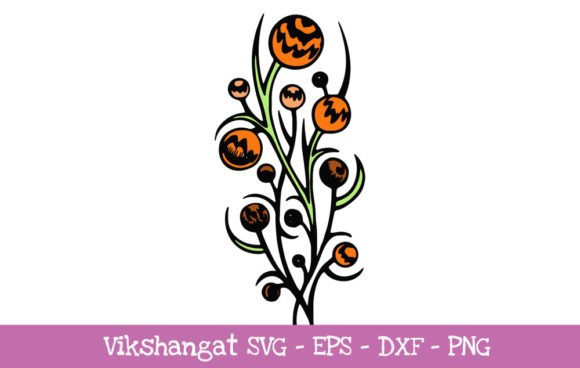
When evaluating this specific digital download, it is crucial to recognize that it is a word art vinyl decal cutting file. This distinction matters because word art integrates typography directly into the floral illustration, creating a unified design rather than separate text and image layers. For users importing these designs into paper crafting programs like Cricut Explore or Silhouette Cameo, the integration of text and vine work requires precise vector paths to ensure the machine cuts cleanly without tearing delicate paper or vinyl. The product includes SVG, DXF, EPS, and PNG formats, but the utility of each format depends entirely on the user’s specific software version and hardware capabilities.
Technical Compatibility and Format Selection
A primary decision factor when acquiring Flower Design Floral Vintage Cut Files is verifying machine compatibility before purchase. While the inclusion of multiple file types suggests universal access, practical experience reveals distinct limitations based on software licensing. For Silhouette Cameo users, the file format hierarchy is rigid. You must possess the Designer Edition (or higher) of Silhouette Studio to natively open and manipulate the SVG file. The SVG format is generally preferred because it retains layer information and scalable vector precision without pixelation.
If you are using the free Basic Edition of Silhouette Studio, the SVG will not be accessible. In this scenario, you must utilize the included DXF file. DXF files are universally compatible with basic cutting software, but they come with tradeoffs. They often lack the layered organization of SVGs, meaning the floral elements and word art may arrive as a single compound path or require manual regrouping. Furthermore, DXF conversion can sometimes result in jagged edges on complex vintage curves. Users should weigh the convenience of the free software against the potential time spent cleaning up DXF import artifacts.
For Cricut Explore users and those with other compatible machines, the SVG is typically the optimal choice. However, legacy software versions present another variable. In rare situations where older firmware or outdated design software fails to recognize modern vector standards, the PNG file serves as a necessary fallback. It is important to understand that a PNG is a raster image, not a vector. Using the PNG requires utilizing the "Trace" function within your cutting software to convert pixels back into cut lines. This process is imperfect; intricate vintage details may be lost or merged during tracing, requiring significant manual node editing. Therefore, the PNG should be viewed strictly as a contingency plan rather than a primary workflow option.
Comparing Vintage Styles Against Modern Botanical Vectors
Crafters comparing Flower Design Floral Vintage Cut Files against standard modern floral options will notice distinct differences in complexity and application. Modern botanical vectors tend to feature bold, solid shapes with minimal internal detail. These are ideal for high-speed production, multi-color heat transfer vinyl (HTV) layering, and large-scale signage where readability at a distance is paramount. The simplicity of modern vectors also makes them more forgiving for beginners learning to weed vinyl or align layers.
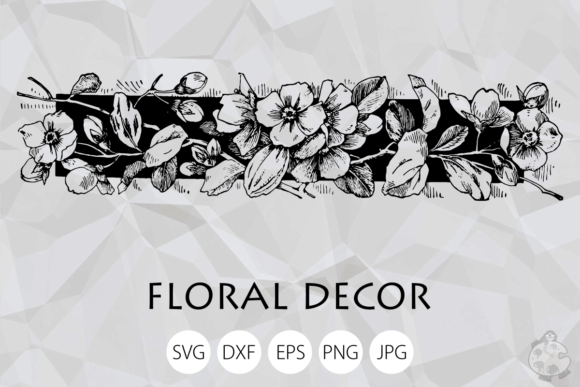
In contrast, vintage floral cut files prioritize aesthetic texture over production speed. The "vintage" designation implies line work that mimics engraving, etching, or hand-drawn illustration. This results in a higher node count and more intricate cut paths. When comparing these two categories, the decision rests on the intended end-use. If the goal is a quick t-shirt for a family reunion, modern vectors are superior. If the objective is creating heirloom-quality scrapbook pages, elegant wedding stationery, or sophisticated glass etching, the nuanced detail of vintage word art provides a depth that flat modern vectors cannot achieve.
Another comparison point involves the integration of typography. Many generic floral cut files require the user to source, license, and arrange separate fonts. Flower Design Floral Vintage Cut Files eliminate this friction by providing pre-set word art. This is particularly beneficial for users who lack advanced typographic skills or wish to avoid the legal complexities of commercial font licensing. However, this convenience limits customization. If a project requires specific wording or a different typeface, a standalone floral vector would offer more flexibility, whereas the vintage word art file is best suited for projects where the existing sentiment aligns with the creator's vision.
Material Considerations for Intricate Designs
The physical medium plays a critical role in determining whether vintage cut files are viable for a specific project. Because these designs contain fine lines and detailed intersections, material selection is less forgiving than with bold graphics. Standard adhesive vinyl may tear during weeding if the design is scaled down too small. Crafters evaluating this asset should consider using premium cast vinyl, which offers greater elasticity and durability for intricate patterns. For paper crafts, cardstock weight matters; heavy cardstock may fail to cut through dense vintage line work without multiple passes, while lightweight paper may shred.
Alternative applications such as stencil painting or glass etching often suit vintage floral designs better than vinyl decals. The intricate lines translate beautifully to etching cream boundaries, creating a frosted effect that highlights the vintage engraving style. Similarly, when used as a stencil, the negative space of the word art allows for painted lettering that feels authentic and handcrafted. Users focused exclusively on simple peel-and-stick decals might find the complexity of these files frustrating, whereas those exploring mixed media or surface embellishment will find the detail level advantageous.
Assessing Value and Workflow Efficiency
When researching digital downloads, value is determined by the balance between cost, versatility, and time savings. Flower Design Floral Vintage Cut Files offer immediate utility for specific aesthetic niches, reducing the hours required to draw complex botanical arrangements from scratch. For professional crafters selling finished goods, this time reduction directly impacts profitability. However, the non-editable nature of the word art component means the file is a finished product rather than a modular resource.
Users must also evaluate their own skill level honestly. Working with vintage cut files often requires proficiency in node editing and layer management. If a DXF file imports with disconnected segments, or if an SVG contains overlapping paths that cause double-cutting, the user needs the confidence to troubleshoot within their design software. Beginners who are still learning the basics of their cutting machine may find simpler, single-layer designs more appropriate for skill-building. Conversely, intermediate and advanced users will appreciate having the EPS format available for editing in professional vector software like Adobe Illustrator or Inkscape, allowing for color separation or structural modification that isn't possible in basic cutting software.
Decision Factors for Purchase
Ultimately, the choice to acquire Flower Design Floral Vintage Cut Files should be driven by project requirements rather than general interest. This digital asset is the right choice when:
- The project demands a cohesive, pre-designed combination of floral imagery and typography.
- The user possesses the necessary software edition (e.g., Silhouette Designer Edition) to leverage the superior SVG format.
- The intended application supports intricate detail, such as paper crafting, etching, or high-quality vinyl work.
- The aesthetic goal is specifically nostalgic, romantic, or classical, distinguishing it from trending minimalist styles.
Conversely, readers should explore alternatives if:
- Customizable text is a non-negotiable requirement for the project.
- The user relies solely on basic/free software and wishes to avoid the potential cleanup associated with DXF files.
- The project involves materials or scales that cannot support fine-line cutting.
- Production speed is prioritized over artistic intricacy.
By carefully weighing these technical constraints and aesthetic distinctions against current project needs, crafters can determine if this specific vintage word art resource aligns with their workflow. Digital crafting resources are tools, and like any tool, their effectiveness depends entirely on matching the right specification to the right task. Ensuring your machine has the ability to use these formats before downloading prevents frustration and ensures that the creative process remains focused on making rather than troubleshooting.